How to connect Ethernet devices to WiFi via WDS

By Denis
- 1 minute read
- 3 images
Also available in Română
Hi 👋,
In this blog post I will show you how to connect an Ethernet only device to Wi-Fi using an extra router and the WDS functionality. I initially wanted to install the TP Link Archer T4U WiFi adapter driver on my Ubuntu 20.04 PC but unfortunately the driver is no longer supported.
Since I really needed high internet speed for my PC, I decided to connect it via an Ethernet cable and buy another TP-Link router to use in WDS mode.
WDS mode allows routers to communicate with one another without using wires.
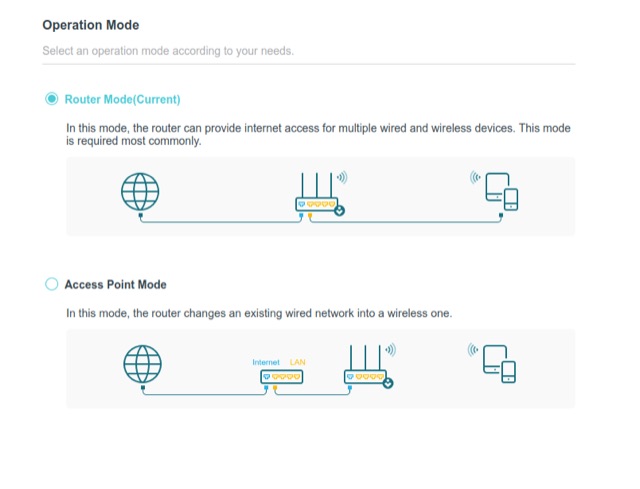
⚙️ The configuration of the WDS router is as follows. I left the operation mode in Router Mode.

Then, I navigated to Network -> LAN and set the IP address to 192.168.0.2. Because my old router had the IP address of 192.168.0.1.
The example uses 192.168.0.2 because the root router is 192.168.0.1. Pick an unused address on your own LAN to avoid an IP conflict.

The next step would be to navigate to Wireless -> WDS. Click survey and select the SSID of your root router. If the WDS bridging is successfully you should see a Connected message ✅.

Finally, go to Network -> DHCP Server and disable it. All these operations should be performed on the router that you want to bridge, not the root router ! 🕸️
Now that your router has a WDS bridge to the root router, you can connect your PC to it via an Ethernet cable and place it next to your PC. A brand new 5GHz Wi-Fi adapter might have the same price 💰 as a new router 🤑, and to be honest unless you’re doing some penetration testing I don’t see the need of a WiFi adapter.
Thanks for reading and happy hacking! 🐧