

Meet Fluxa: a clearer picture of your money
Hello everyone! 👋
Have you ever opened a spreadsheet called budget-final-v7-actually-final.xlsx, stared at three bank apps, and still wondered where your money went? That’s the problem Fluxa is trying to make less annoying. It’s a personal finance app I’ve been building for the everyday stuff: transactions, accounts, budgets, goals, and the bigger picture beyond this month’s grocery bill.
Here’s a tour of the parts I reach for most. All screenshots below use fictional sample data, so the numbers are examples rather than anyone’s finances.
Start with the whole picture
Fluxa’s dashboard answers the useful questions first: how much came in, how much went out, what is left, and whether this month is behaving itself. You can switch between the current entity, all entities, and an account view, then change the time period without rebuilding a spreadsheet pivot table.
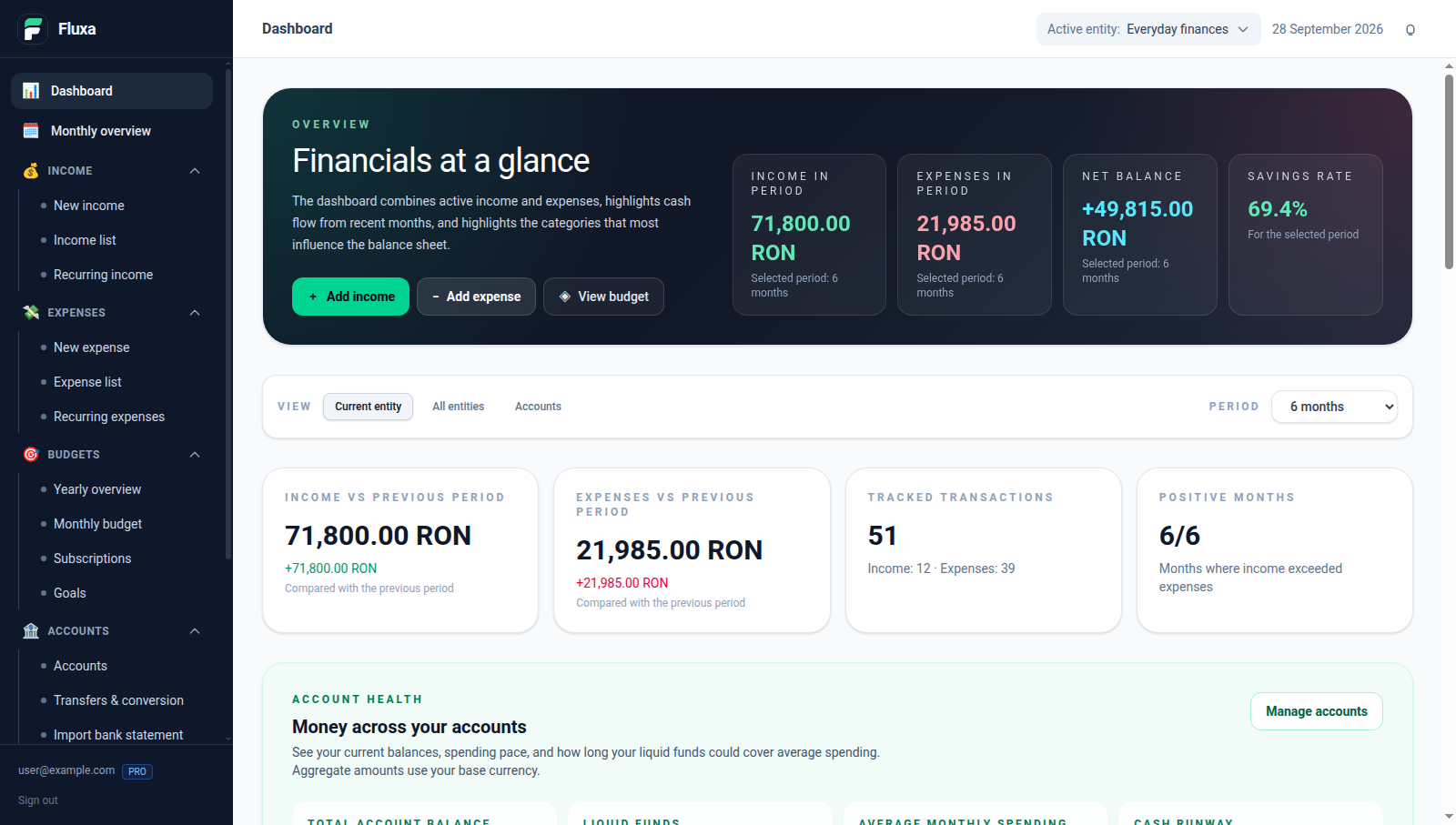
A six-month overview for a fictional household.
The cash-flow chart puts income, expenses, and net movement together. Category breakdowns and recent activity help explain the numbers. The account health section adds balances and a cash-runway estimate, which is much more helpful than a mysterious “looks fine” feeling.
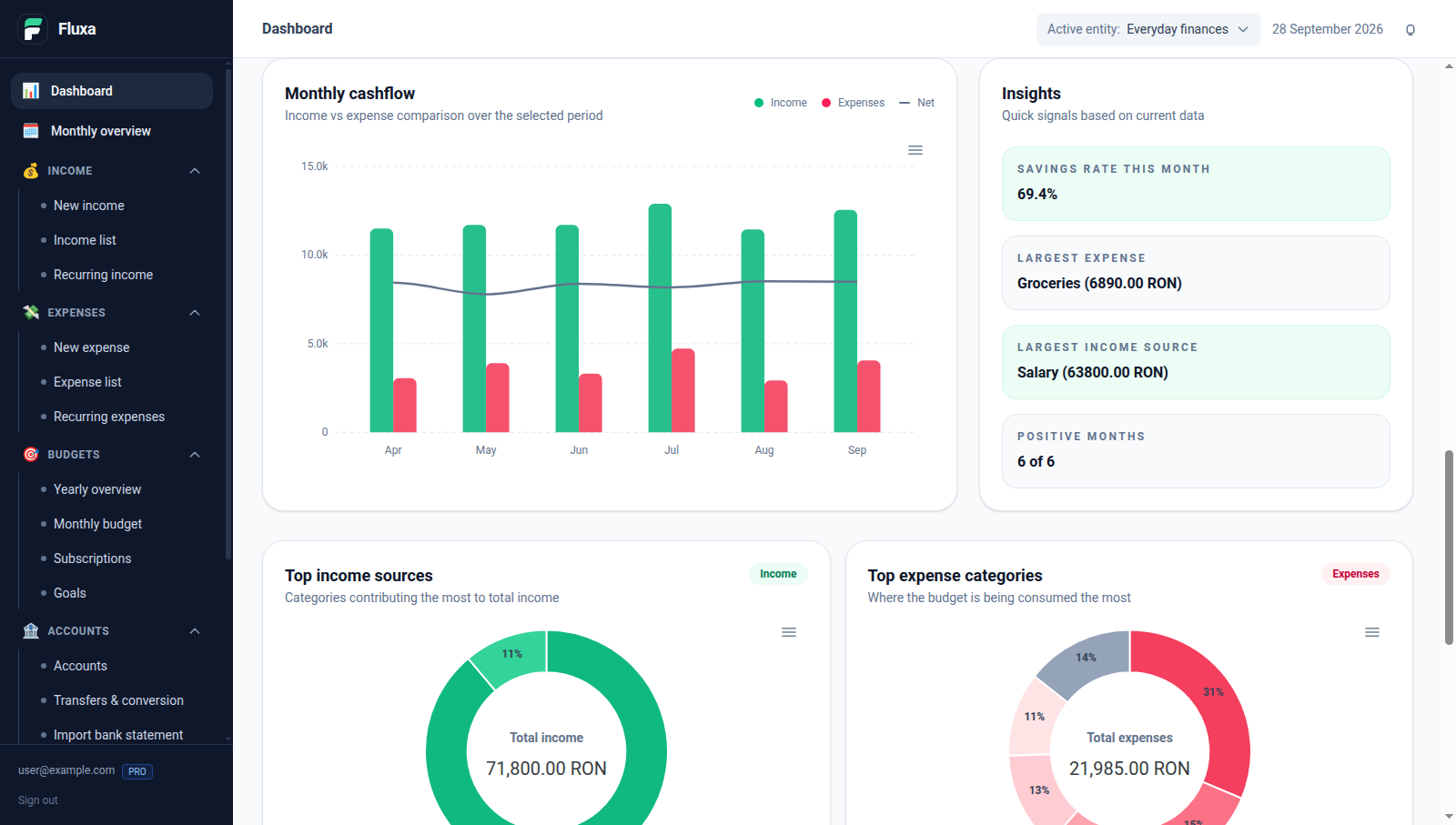
Six months of sample activity, with enough variation to look like life rather than a copy-pasted spreadsheet.
Give every euro (or leu) an address
You can record income and spending against cash, bank, card, savings, and investment accounts, then move money between accounts. Fluxa also supports multiple entities, so personal finances and a PFA or side business can have their own transactions while still appearing in a combined view.
Transactions can be in RON, EUR, USD, GBP, or CHF. Fluxa uses ECB-based exchange rates for conversion and keeps the original currency and amount. You can choose RON, EUR, or USD as the currency for your overall totals. Recurring entries take care of predictable payments, while the subscription tracker shows what monthly and yearly services add up to and when they bill next.
Budgets that tell you something useful
A budget is more than a list of hopeful numbers. Fluxa compares each monthly category allocation with actual spending, shows what remains, and estimates where the month is heading. You can also zoom out to the yearly overview. This is where a small collection of “only 49.99” subscriptions gets its moment of truth.
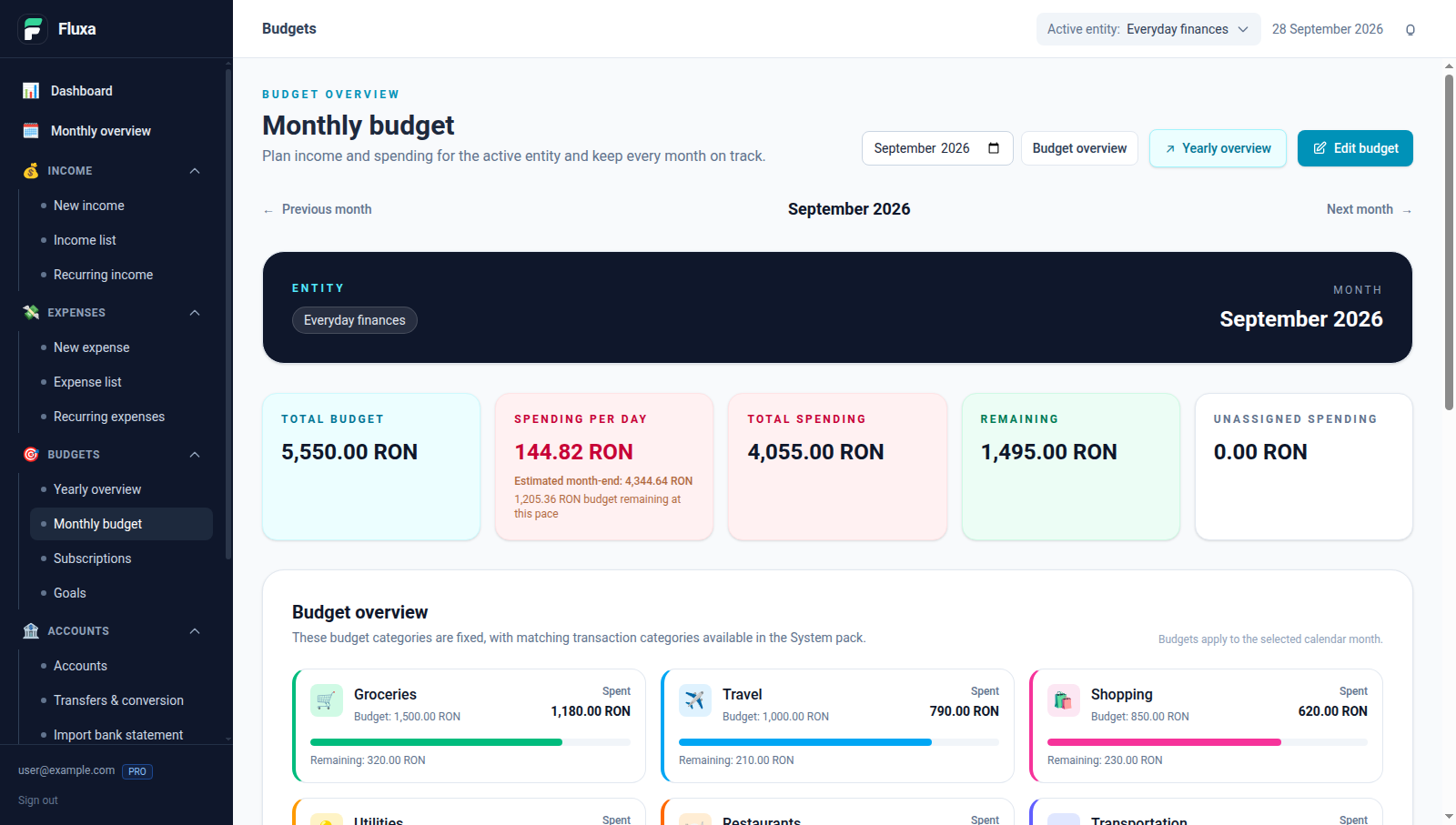
A populated September budget: groceries, travel, shopping, and the rest all have real sample spending against them.
Goals make the other side of planning more fun. Instead of a vague promise to save for a trip, you can give it a target, reserve money from an existing account or use a dedicated savings account, and see the progress and estimated completion date. The sample household has a Japan trip, a laptop, and a kitchen refresh underway. Apparently it has plans.
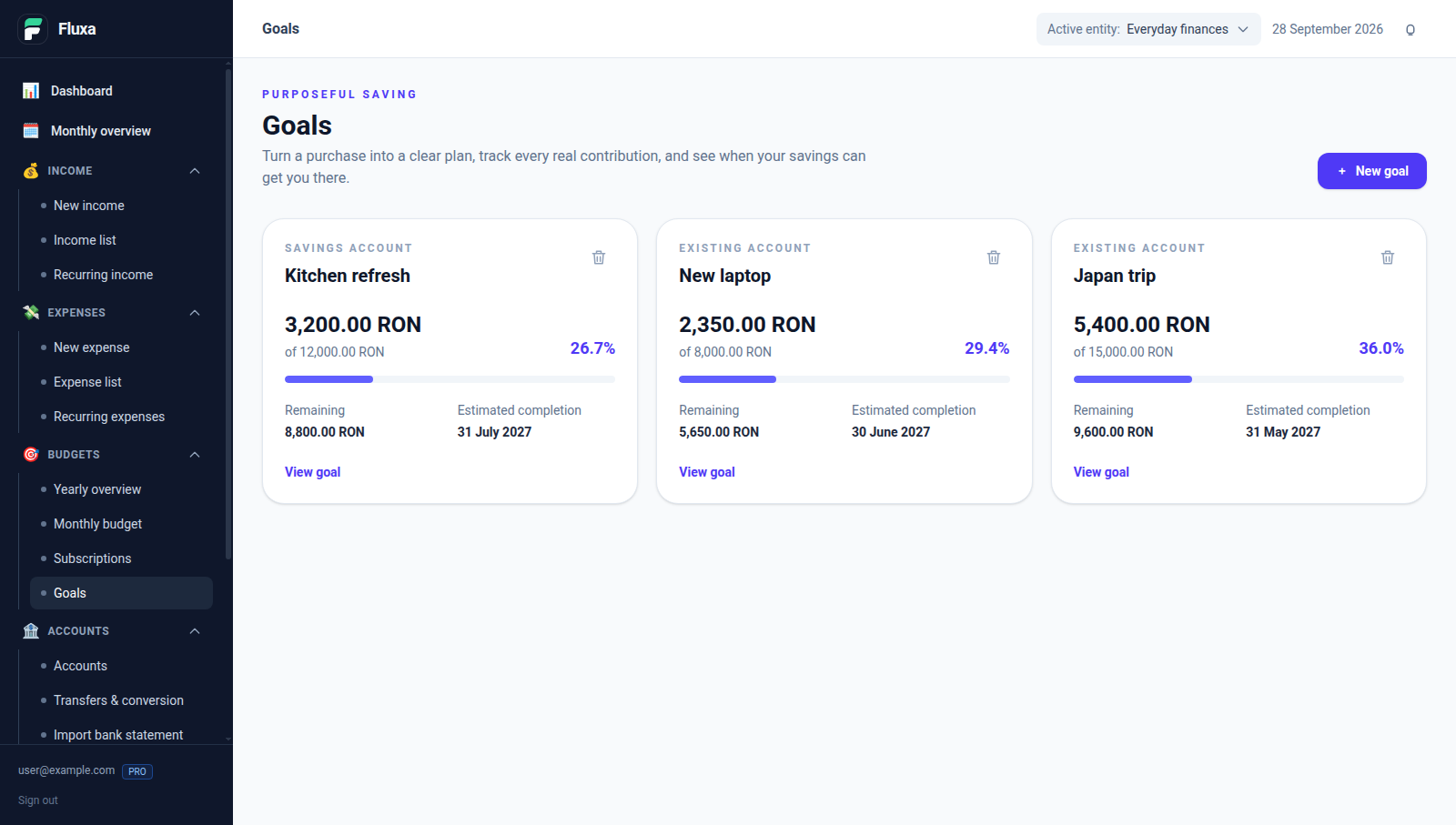
Three goals with money already set aside, not three empty progress bars.
Money is more than the checking balance
Wealth brings accounts, investments, goal savings, and tracked physical assets into one view across entities. It shows native balances alongside converted totals, plus a history and an allocation chart. If you track a home, a bicycle, or physical gold and silver, those can join the picture too. The example below includes an apartment, a bicycle, an index fund, and savings.
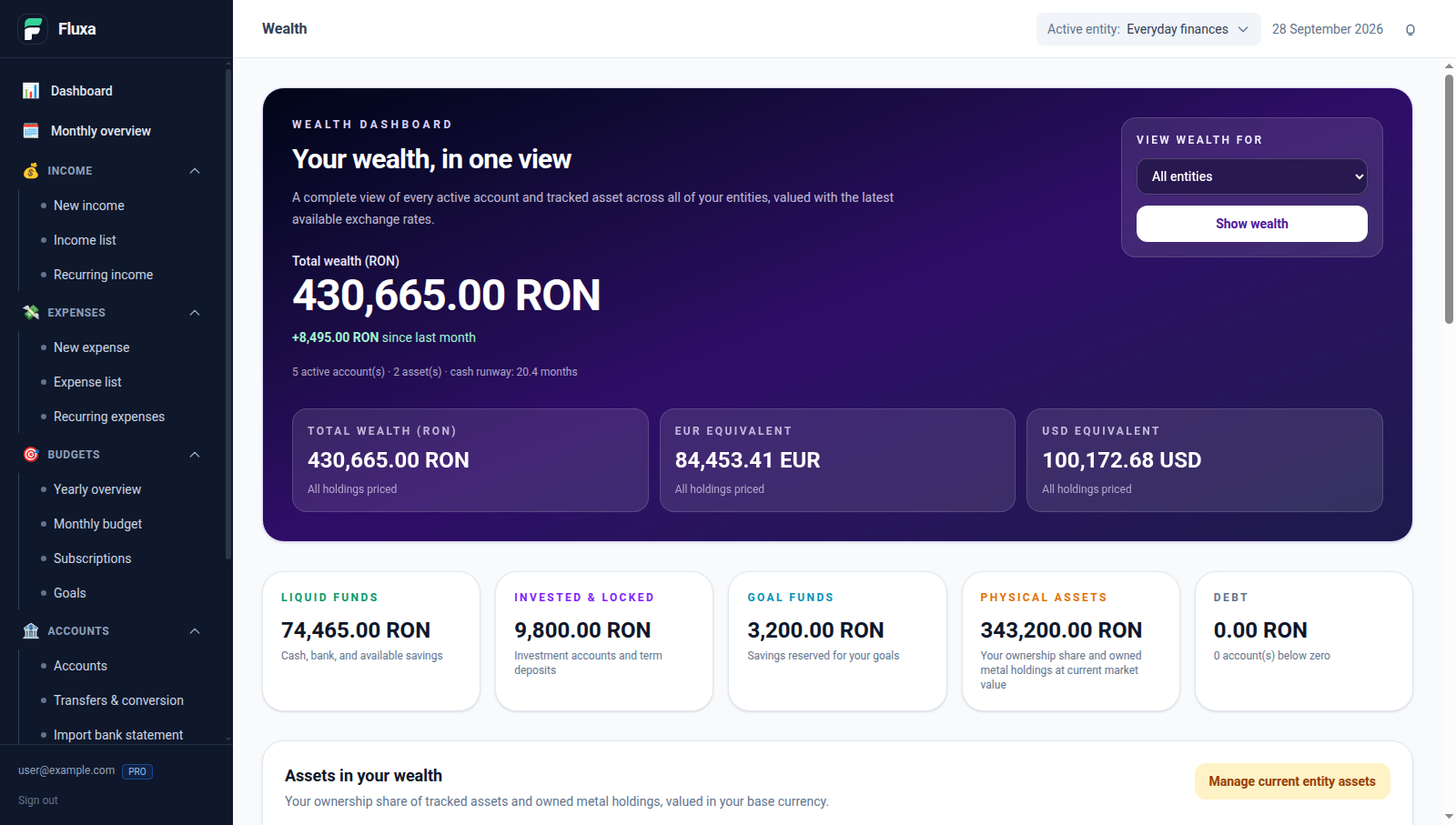
A fictional portfolio with liquid funds, investments, goal money, and physical assets.
Less typing, more checking
The Pro bank-statement importer can parse statements from BRD, ING, Revolut, and UniCredit, including Revolut CSV exports. The important part is the review step: check dates and amounts, adjust categories or descriptions, discard rows you don’t want, and only then confirm the import. If you confirm the wrong batch, you can reverse it.
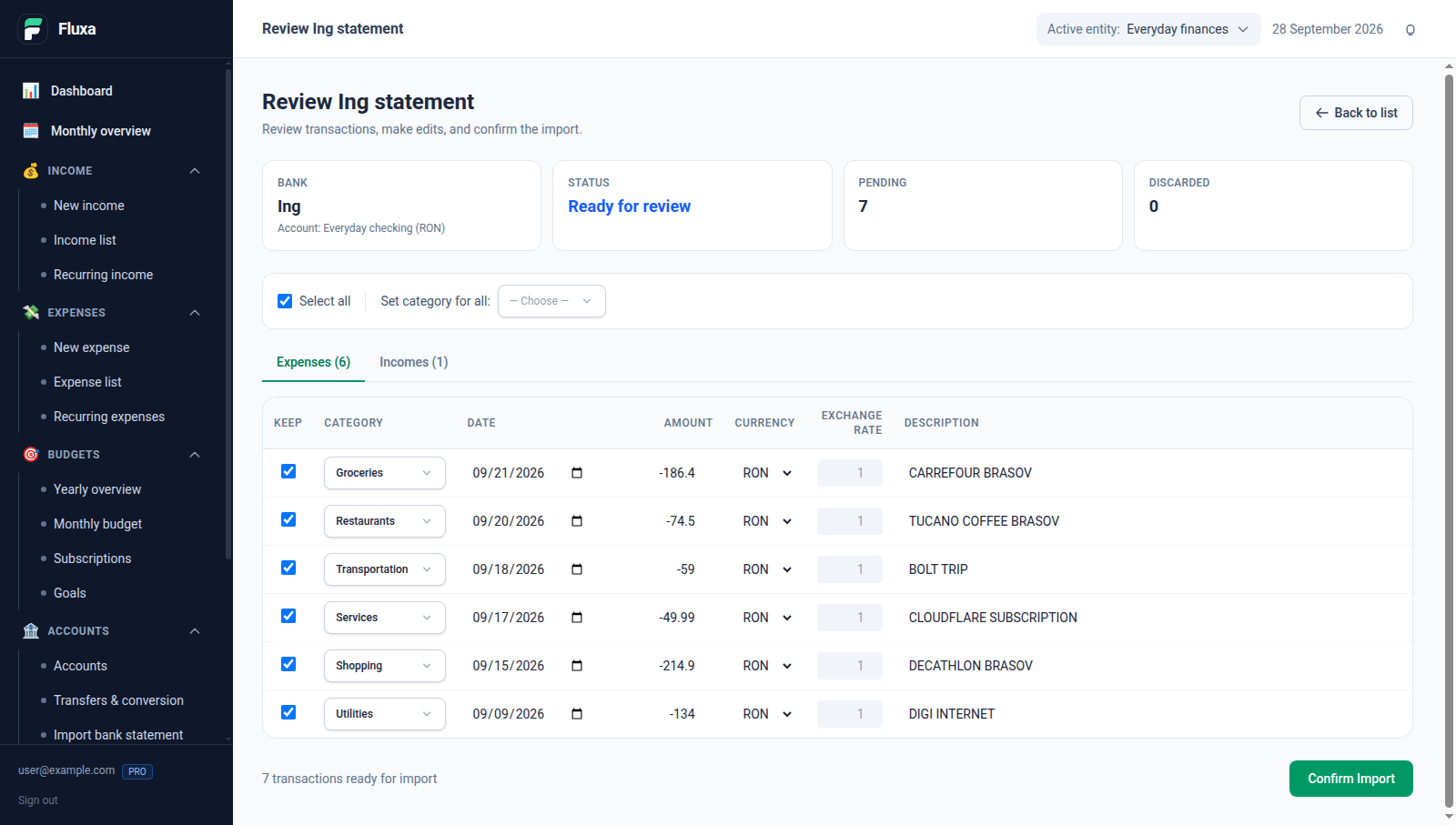
Illustrative statement-review data, including groceries, transport, services, and one income entry.
There are a few other touches I appreciate: a Romanian Registru Jurnal export in PDF and Excel, light and dark themes, English, Romanian, and German, and an installable web app that can queue new income or expense entries while offline and sync them later. Fluxa can also split a shared bill and track recurring transactions, so the little chores have a place too.
Fluxa is for the moment when you want an answer, not another tab. If that sounds useful, give Fluxa a try and tell me which part of your money spreadsheet you would most like to retire.
Thanks to OpenAI Codex for helping draft this article, preparing the fictional demo data, and capturing the screenshots.